
Getting started as a cleaner
Your screen is /w. It is built for a phone held in one hand, in Arabic or English, and it
holds one thing: the jobs you have today.
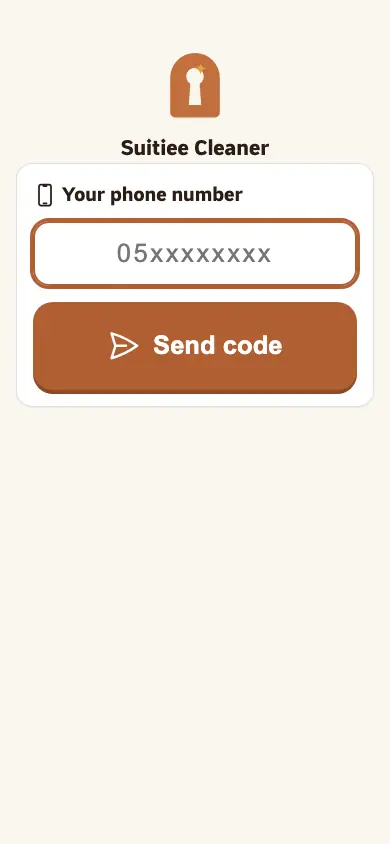
There is no password. You sign in with the mobile number your company put on the roster, and a code sent to that number.
What you need
- The mobile number your company registered for you.
- The phone that number is on, to read the code.
- Location switched on in your browser — starting a job records that you are at the unit.
Step 1 — Sign in
- Open the link your company sent you, or
/w. - Type your mobile number and press Send code.
- Type the code. You stay signed in on that phone, so this is a once-only step.
If it says the number is not registered, your company has not added you to Staff yet, or added a different number. There is nothing you can fix from this screen — ask them.
Step 2 — Open today's job
The first screen is today's list. Each row is a unit and a time. Open one and you get the address, the map, the window you have, and any note the host left.
Directions opens the map at the pin the host dropped. Use it rather than the unit name — two units in one building often share a name.
Step 3 — START at the door
Press START when you are at the unit, not when you leave home. The button records the time and where you are. A check-in a long way from the unit is visible to your company and to the host, so starting early is not a shortcut, it is a mark against the visit.
Step 4 — Photograph
Take the before photos, clean, then take the after photos. The screen says how many are still needed and will not let you finish without them.
The photos are the proof the visit happened and the answer if a host complains later. Shoot the room, not a corner of it.
Step 5 — FINISH
Press FINISH when the unit is ready. That is the moment the host is told the unit is clean, and the moment your company can bill for it.
If something is wrong in the unit — a broken tap, a stain that will not come out, something missing — report it on the job before you finish. A reported issue becomes a maintenance visit for somebody else to do. See Maintenance.
When it goes wrong
| What you see | What it means | What to do |
|---|---|---|
| "This number is not registered as a cleaner" | Your company has not put this number on the roster | Ask your company to add it under Staff |
| "Too many codes requested" | Several codes were asked for in a short time | Wait a minute and press Send code once |
| FINISH will not work | Not enough photos have been taken | The screen says how many are missing |
| No jobs today | Nothing is assigned to you for today | Your company assigns jobs; today's list fills as they do |
| The job you were doing is gone | It was reassigned, or the booking was cancelled | Nothing is lost; ask your company |