
The guest inbox
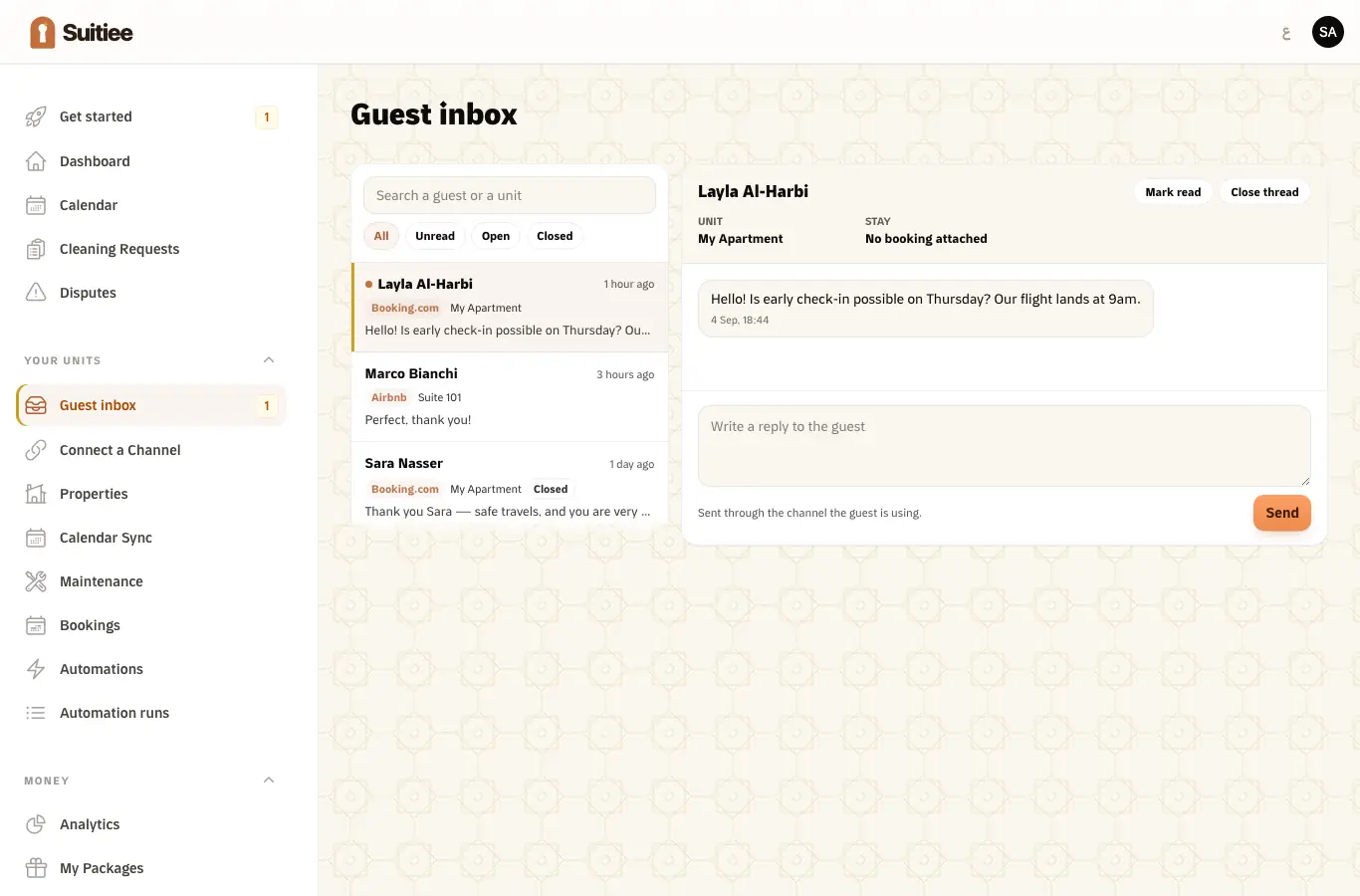
One inbox for every guest conversation, whichever site the booking came from. A message from a guest on Booking.com and one from a guest on Airbnb sit in the same list, each next to the stay and the unit it belongs to.
What you need
- A channel connected by sign-in. Threads come with the connection; a calendar link carries no messages. See Connecting Airbnb and Booking.com.
Step 1 — Find the conversation
Conversations are on the left, filtered by All, Unread, Open or Closed, and searchable by guest or by unit. Each row carries the channel it came from, the unit, and the stay.
An unread count sits on the navigation item, so you do not have to open the screen to know there is something in it.
Step 2 — Read it in context
Opening a conversation shows the thread with the unit and the stay beside it. A thread whose booking has not been matched to a unit says so rather than showing a blank.
Step 3 — Reply
Type and send. The reply goes back through the channel the guest is using — they read it where they wrote, and nothing asks them to install anything.
A reply that has not left yet is marked Sending; one that failed is marked Not sent rather than disappearing.
Step 4 — Mark read, or close
Mark read clears the unread state. Close thread takes a finished conversation out of the open list without deleting it.
What is not built yet
Named so you do not look for it: internal notes, assigning a thread to a colleague, canned replies, and the automatic guest messages appearing inside the thread. Email, SMS and WhatsApp as inbox channels come after those.
When it goes wrong
| What you see | What it means | What to do |
|---|---|---|
| No conversations at all | No channel is connected by sign-in | Connect one; a calendar link carries no messages |
| A thread with Unit not linked yet | The booking never matched a unit | Link the booking to its unit |
| A reply marked Not sent | The channel refused or did not answer | Try again; if it persists, answer the guest in the channel's own app and tell support |
| Messages stop arriving for one channel | The messaging app for that channel is not enabled on the connection | It is recorded rather than retried forever — tell support |
| A guest message about a broken thing | The inbox is not a work order | Raise a maintenance visit from the unit |