
Bookings and guests
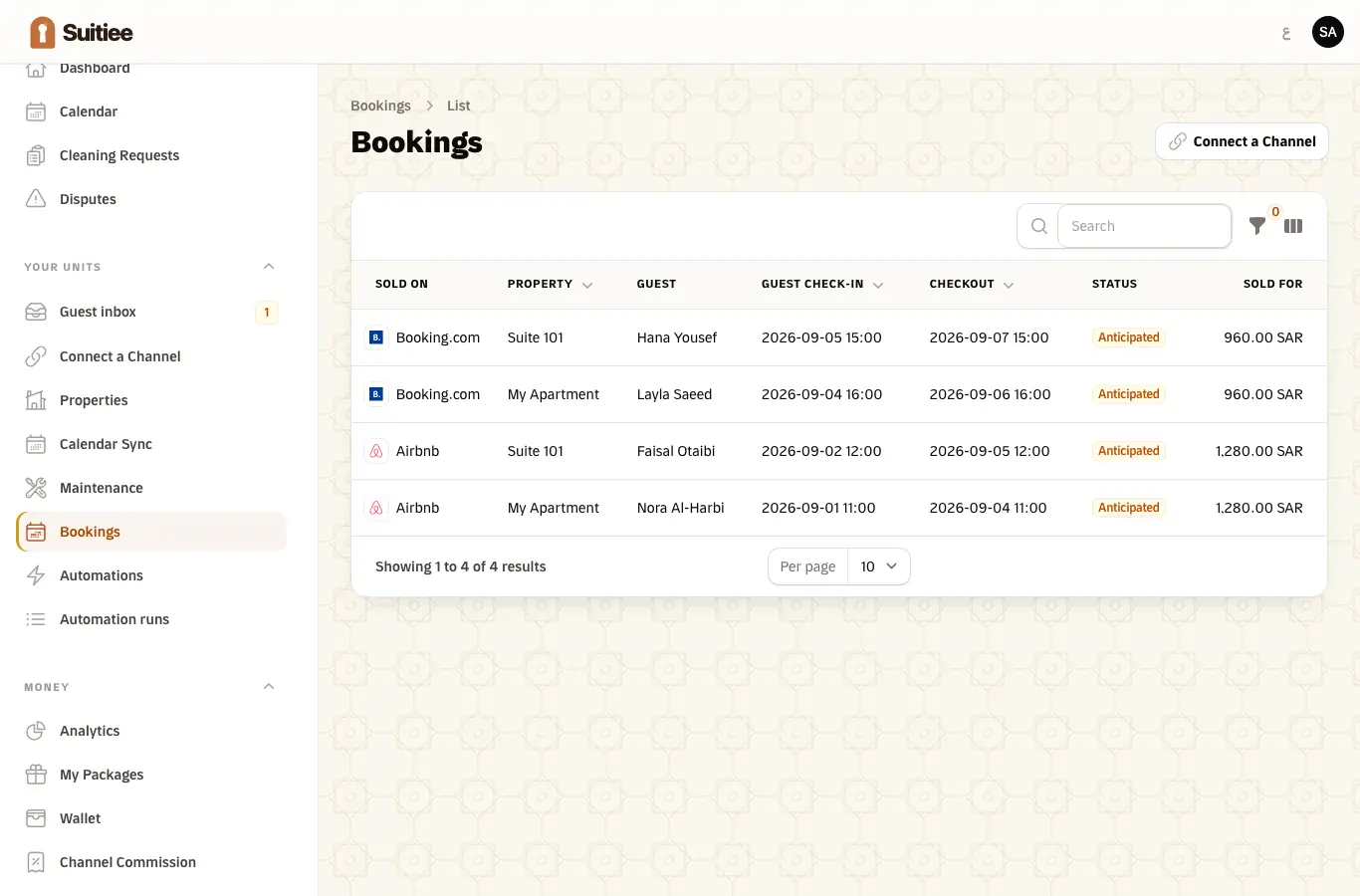
A booking is the record everything else hangs off: the calendar, the turnover, the invoice, the guest messages. It is created by whichever lane brought it in and updated by the same lane afterwards.
What you need
- A connected lane. See Three ways bookings reach Suitiee.
Step 1 — Read one booking
| On the record | Where it comes from |
|---|---|
| Unit, arrival, departure | Every lane |
| Channel | The lane that brought it |
| Guest name | A connected channel, or a field you sent |
| Guest email, phone, language | A connected channel, or fields you sent. Never from a calendar link |
| What the booking is worth | A connected channel, or a field you sent — or typed in by you (Record what it sold for) |
| Status | Anticipated, confirmed, checked out, cancelled |
A calendar link carries dates and nothing else. That is not a fault in the link — it is what an iCal file is — and it is the reason the money columns are empty on units connected that way.
Record what a booking sold for
For a booking whose channel never says what it is worth — every Gathern or Qotoon booking, and every stay you record yourself — open the booking and choose Record what it sold for. Enter the total the guest paid, in SAR. From then on it counts in your revenue reports and owner statements, and the booking shows Entered by hand beside the figure.
- The No value tab on the bookings list is the work list: every booking still without a value.
- Add stay has the same field, so a stay you take by phone can be recorded with its value.
- A value a channel reported itself is never editable here. A value you typed stays editable until a channel reports one of its own, which then wins.
- Nothing is sent to the channel or the guest. Every change is kept in the audit log.
- A value you type in is not counted for Suitiee's commission on booking value. See PMS subscription.
Step 2 — Watch it become a turnover
An arrival puts the nights on the calendar. The departure is written down as an anticipated turnover and confirmed when the checkout passes. See Turnovers.
Step 3 — Changes and cancellations
- Dates change — the booking is updated and the cleaning window moves with it.
- Cancelled before the clean is billed — the anticipated turnover is dropped.
- Cancelled after it is billed — it is cancelled and refunded under your operator's cancellation rules, or held for review. A confirmed turnover is never silently reversed.
Guest personal data
Guest email and phone are personal data under the PDPL. Suitiee stores them on the booking, shows them to the host and operator who own it, keeps them off every list column, and never writes them to a log line. The board shows a name and never a contact detail.
Nothing is sent to a guest unless you switch it on yourself. See Guest messages.
When it goes wrong
| What you see | What it means | What to do |
|---|---|---|
| A booking with no unit | The channel's listing id matches no unit | Open the booking and link it |
| No guest name | The lane did not carry one — normal for a calendar link | Nothing to fix; the turnover works regardless |
| No value on the booking | Same reason | Record what it sold for on the booking, connect the channel by sign-in, or send the amount on your own event |
| A booking that will not check out | The checkout has not passed, or the sweep has not run yet | It clears within about fifteen minutes of the checkout |
| A cancelled booking whose clean is still booked | It was already billed | Cancel it from Operations → Cleaning |