
A turnover, from checkout to ready
A turnover is the whole chain between one guest leaving and the unit being ready for the next. Nothing in it is pressed by hand once a lane is connected.
booking arrives ─▶ anticipated ─▶ checkout passes ─▶ billed ─▶ cleaning created
                                                                   │
                            dispatched ─▶ accepted ─▶ cleaner starts ─▶ photos ─▶ finished ─▶ invoice
What you need
- A unit with a connected lane. See Three ways bookings reach Suitiee.
- Money behind it: a wallet balance, a package, or partner credit.
- A cleaning company that covers the unit's district — arranged by Suitiee, not by you.
Step 1 — The booking is anticipated
As soon as a booking is seen, its checkout is written down as an anticipated turnover. Nothing is billed and nobody is dispatched. This is the state most of your bookings are in most of the time.
Step 2 — The checkout passes, and it is billed
When the checkout time passes the turnover is confirmed: the price is worked out and taken, package visits first and then the wallet.
If neither can cover it, the turnover stays anticipated and is retried — it is not dropped. Top up and the next check books it, with nothing to press.
Step 3 — A cleaning is created, with a window
The cleaning gets a window: when it may start, and when it must be finished.
- If the next booking is already known, the window ends before that guest arrives. That is the turnover window, and it needs no setup.
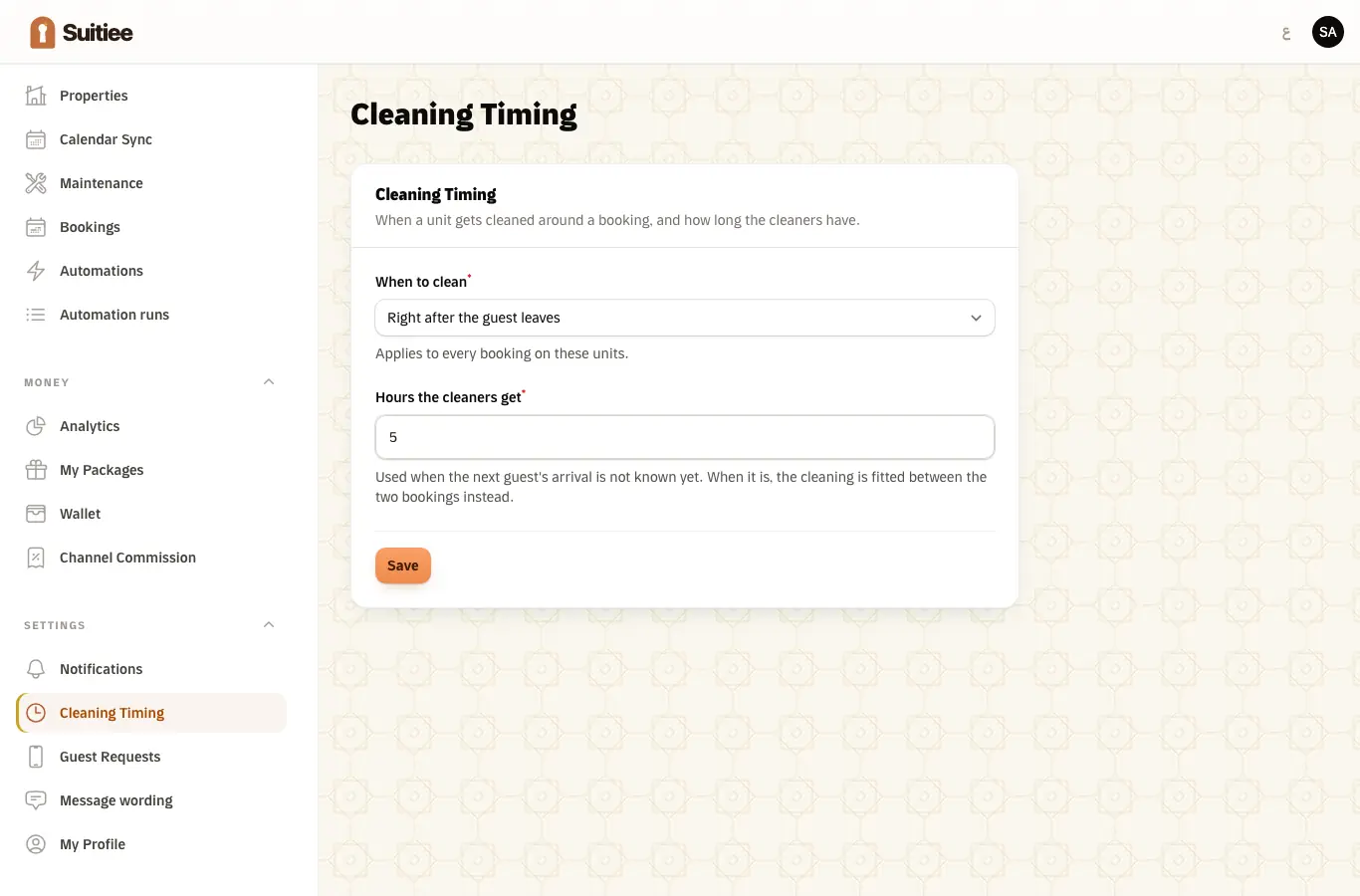
- If no next booking is visible yet, the window is five hours after checkout.
- Add the next booking any time before checkout and the window updates to match.
Settings → Cleaning Timing changes the rule for every unit: clean right after the guest leaves, just before the next arrives, or on a schedule during a long stay. Hosts managed by an operator follow their operator's setting unless they turn that off.
Step 4 — It is dispatched
The cleaning is offered to a cleaning company that covers the unit's district. The offer is an offer, not an instruction, and it expires — see Assignment and acceptance.
Step 5 — The visit
The cleaner arrives, starts the job on their phone, takes the before-and-after photos the service requires, works the checklist and finishes. See Checklist and photos.
Step 6 — Ready, and invoiced
Finishing is the moment the unit counts as ready. You get the photos, the visit is billable, and the invoice is raised. See Invoices.
The one screen that tells you the truth
Turnovers that did not go through — on your dashboard — lists every checkout that has passed with no cleaning booked, and the reason on each row:
| Reason | What it means | The fix |
|---|---|---|
| Not enough balance | The wallet and packages could not cover it | Top up or add a package; the next check books it automatically |
| Unit not linked | The booking never matched one of your units | Open the booking and link it to the unit |
| No cleaning service available | No active regular cleaning service is configured | Support enables one |
| Not confirmed yet | The checkout has passed and has not been attempted yet | It clears on the next check |
When it goes wrong
| What you see | What it means | What to do |
|---|---|---|
| Checkout passed, no cleaning | Almost always an empty wallet | Read the stuck list; the row names the reason |
| A cleaning with a five-hour window when the next guest is coming sooner | The next booking was not visible when the window was set | Make sure the next booking reaches Suitiee before the checkout |
| A cleaning for a night nobody stayed | A blocked date read as a booking on a calendar the site words unusually | Tell support the wording — the list of blocked-date phrases is configuration, not code |
| A cancelled booking whose cleaning is still there | A confirmed, billed turnover is never cancelled automatically | Cancel it from Cleaning Requests under your own rules |
| Two cleanings for one checkout | Two lanes feeding one unit with different reservation ids | Keep one booking lane per unit |